
Ikonik Fortnite Account Buying Guide: What to Check Before You Buy in 2026
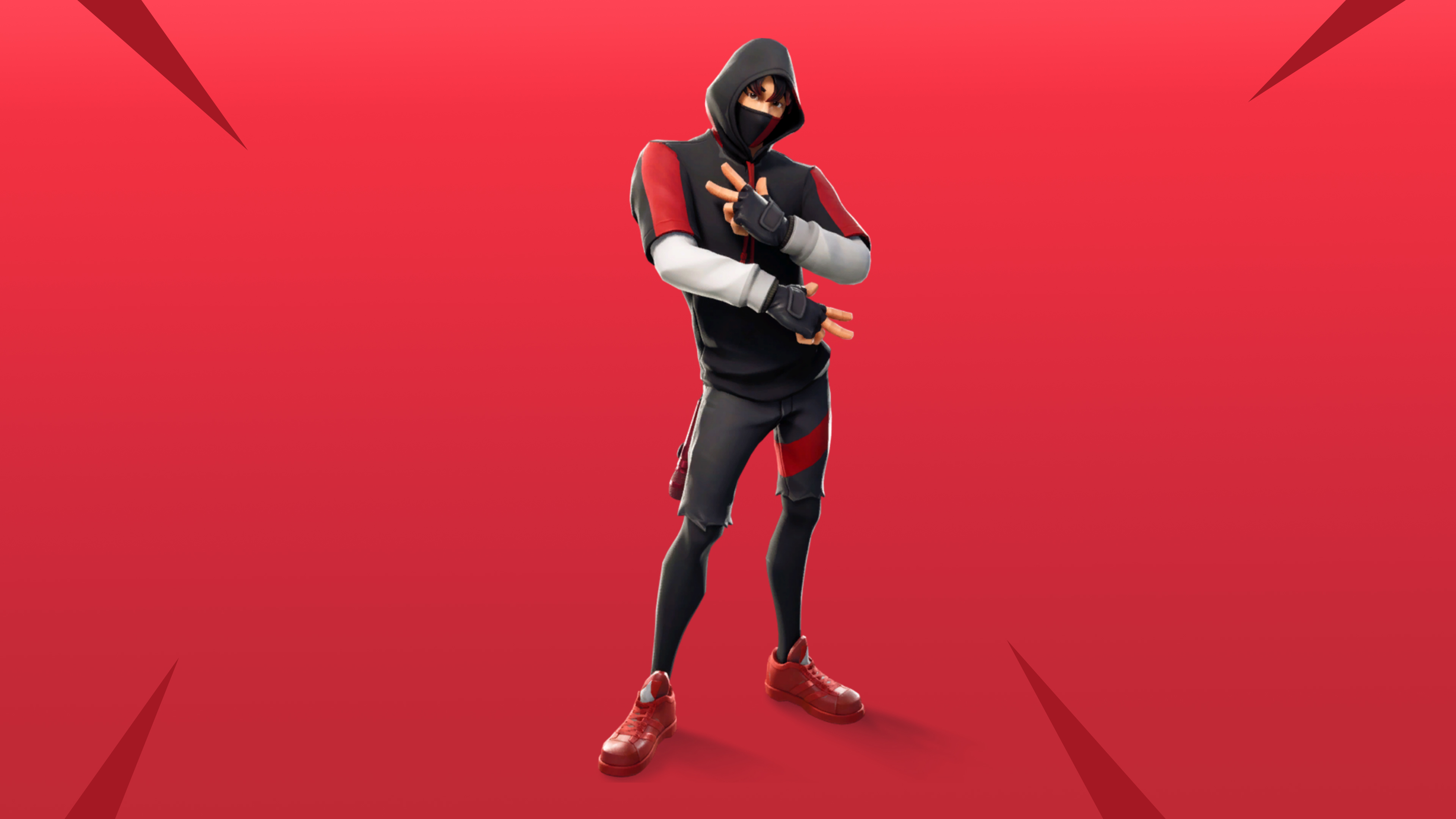
The Ikonik skin was originally bundled exclusively with the Samsung Galaxy S10 series in 2019 — it was never sold in the Item Shop and has never returned. That exclusivity is exactly what drives demand in 2026. But emotional attachment to a rare skin is also what causes buyers to rush and skip the verification steps that would protect them. This guide covers what makes Ikonik accounts genuinely valuable, how to verify ownership before paying, and how to complete the transfer without getting burned.
Why Ikonik Is Still Worth Buying in 2026
Unlike most rare skins that are rare simply because they're old, Ikonik is hardware-exclusive. It was tied to a specific Samsung device promotion and required in-person or online redemption through the Galaxy Store. Epic has never made it available through any other channel — no Item Shop return, no battle pass, no promotional event.
That makes it a permanently closed supply with consistently growing demand. Players who started Fortnite after 2019 have no legitimate way to obtain it. In 2026 the only route is buying an account that already has it — which is why Ikonik listings consistently command a premium over accounts with similar progression but without the skin.
The Ikonik bundle also included the Scenario emote, which is separately sought after. Accounts that include both the skin and the emote are worth more than accounts where only the skin redeemed.
What Makes an Ikonik Listing Risky
The demand premium on Ikonik accounts attracts low-quality listings. These are the specific risks to watch for:
- Screenshot manipulation: Ikonik is visually distinctive enough that fake locker screenshots circulate. A static screenshot proves nothing — it can be photoshopped or taken from someone else's account.
- Scenario emote missing: Many listings claim Ikonik but don't mention whether the Scenario emote is included. Ask explicitly — some accounts had the skin redeemed but not the emote, or the emote was on a different account.
- Email access only: The seller provides login credentials but retains the linked email inbox. This is the most common vector for account reclaim after delivery — Epic's recovery flow makes it easy for the original owner to take the account back weeks later.
- Samsung account still linked: Some Ikonik accounts still have a Samsung account connected. If the seller still has access to that Samsung account, they have an additional recovery vector beyond just the email.
- Early confirmation pressure: Sellers who push you to confirm delivery before you've completed the security handoff are the single biggest risk factor in Ikonik purchases specifically, because the skin's value makes sellers reluctant to give up recovery access.
How to Verify an Ikonik Account Before Paying
Step 1: Live Locker Video
Request a screen recording of the seller navigating directly to the Ikonik skin in the locker — not a screenshot. The video should show the skin selected, the Scenario emote visible in the emotes tab, and the total skin count in the top corner. Watch the recording for signs of editing or cuts around the Ikonik section specifically.
Step 2: Scenario Emote Confirmation
In the same recording, ask the seller to navigate to the emotes section and show Scenario equipped. If they can't show both the skin and the emote in a single uncut recording, treat the listing with suspicion.
Step 3: Samsung Account Status
Ask the seller directly: is a Samsung account still linked to this Epic account? Ask them to show the Epic account connections page (epicgames.com → account → connected accounts). If a Samsung account is connected and the seller still controls it, that's a recovery risk you need to resolve before completing the transfer.
Step 4: Full Access Confirmation
Confirm the transfer includes the linked email inbox — not just login credentials. You need to be able to change the recovery email to one you control. Without inbox access, you cannot complete a secure handoff and the account is not safely yours.
Ikonik Account Value: What You're Actually Paying For
| Feature | Value Impact | Verify How |
|---|---|---|
| Ikonik skin | High — permanently exclusive | Live locker video, uncut |
| Scenario emote included | Medium-High — bundled item, also exclusive | Emotes tab in same video |
| Battle Pass history (Chapter 1–2) | High — compounds value significantly | Ask seller to show season completion |
| V-Bucks balance | Medium — direct liquid value | Lobby screen in video |
| Save the World ownership | Medium — passive daily V-Bucks | STW mode access in video |
| Samsung account disconnected | Critical for security | Epic connected accounts page |
Ikonik Account Buyer Checklist
- Request a live, uncut locker video — showing Ikonik skin and Scenario emote in the same recording.
- Confirm Scenario emote is included — ask explicitly, don't assume.
- Check Samsung account link status — ask seller to show Epic connected accounts page.
- Confirm full access transfer — email inbox included, not just login credentials.
- Verify V-Bucks balance and Battle Pass history — these significantly affect fair price.
- Use escrow-protected checkout only — see how escrow works.
- Do not confirm delivery until security handoff is complete — new email, new password, 2FA enabled, Samsung account disconnected.
- Disconnect all third-party connected accounts after delivery — Samsung, PlayStation, Xbox, any others.
- Archive all chat, recordings, and receipts before closing the transaction.
What to Do Immediately After Delivery
The security handoff sequence matters. Do it in this order:
- Change the linked email to one you fully control.
- Change the Epic account password.
- Enable 2FA using your own authenticator app or email.
- Go to connected accounts and disconnect any Samsung, PlayStation, Xbox, or Nintendo accounts you don't own.
- Check active sessions and remove any devices that aren't yours.
- Confirm you can log in cleanly from your own device before releasing escrow funds.
Only confirm delivery in escrow after all six steps are complete. Confirming early — even if the account looks right — gives up your protection before you've closed all recovery vectors.
FAQ
Is the Ikonik skin coming back to Fortnite?
There has been no announcement from Epic Games indicating Ikonik will return to the Item Shop or be made available through any new promotion. It remains tied exclusively to the original Samsung Galaxy S10 redemption period, which ended in 2019. Its scarcity is structural, not temporary.
Is Ikonik still worth buying in 2026?
Yes, if the listing includes full access transfer, the Scenario emote, and you can verify ownership via live video. Ikonik accounts with Chapter 1 Battle Pass history and a V-Bucks balance represent some of the strongest-value Fortnite purchases available because you're buying permanently exclusive content that cannot be obtained any other way.
What's a fair price for an Ikonik account?
Price varies based on what else the account includes. Ikonik alone with minimal other content typically lists between $80–$150. Accounts that also include Chapter 1 OG skins, full Battle Pass history, and a V-Bucks balance can command $200–$400+. Compare at least three similar listings on the same platform before committing — and compare by total content, not just price.
Can a seller take back an Ikonik account after selling it?
Yes, if the email transfer was incomplete. If the seller retains access to the linked email or a connected Samsung account, they can use Epic's account recovery flow to reclaim the account. This is why inbox control and disconnecting all third-party accounts are non-negotiable steps before confirming delivery.
What if the Scenario emote isn't included?
The Scenario emote was part of the same Samsung bundle as Ikonik. If it's missing, it either wasn't redeemed (possible on some accounts) or it was on a different Epic account. An Ikonik account without Scenario is worth noticeably less — adjust your price expectation accordingly and don't pay full bundle value for a partial bundle.
Browse verified Ikonik listings: Fortnite Accounts on PlayerTradeHub · How escrow protection works · Dispute support
Ready to Buy With More Confidence?
Compare live listings, verify proof quality, and use protected checkout to lower delivery and dispute risk.
Browse Marketplace